
The Home Depot
The Home Depot, IncShopping
4.5105.70K Reviews
- Version
- 8.2.7
- Installs
- 10.00M
- Age Rating
- Everyone
Screenshots


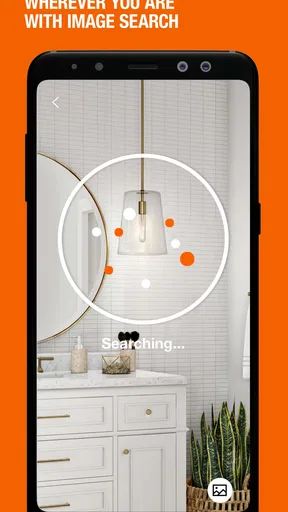
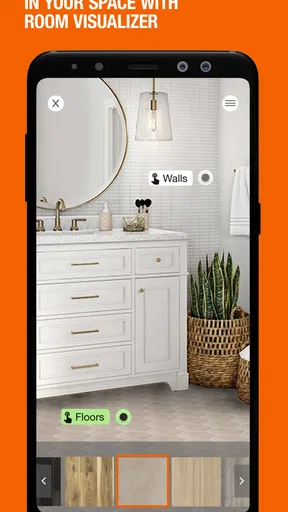
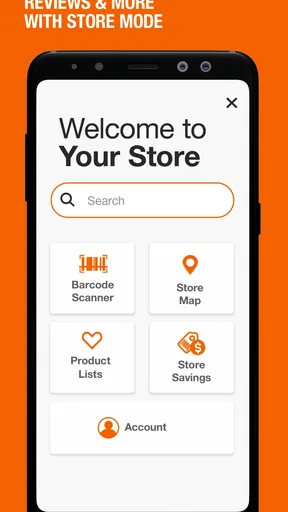

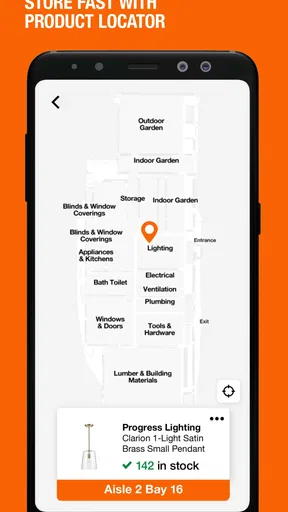
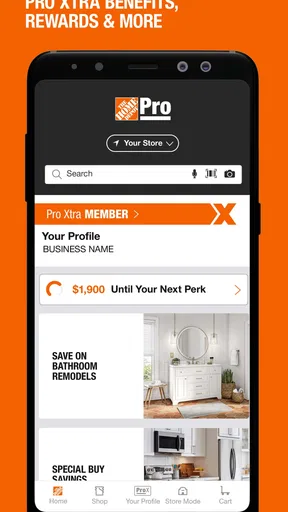
Our Review of The Home Depot
 Analysis by Appyee
I found The Home Depot app most useful when I treated it as a project companion rather than simply a mobile version of a hardware store. It lets me search, compare, and shop through a very large product selection from The Home Depot, Inc, but its real value appears when I am standing in a room with a problem to solve: a leaking fitting, a missing fastener, a paint job that needs one more supply, or a repair where I am unsure which part matches the existing one. My overall view is positive, with one important qualification: it can make planning and product discovery much easier, but it does not remove the need to check measurements, compatibility, and local availability carefully.
For a free shopping app in a category where many people still prefer a browser or a store visit, it feels worthwhile because it connects research with a practical buying decision. I can begin with a vague idea, narrow the choices, inspect product information, and decide whether the next step is ordering or visiting a store. That makes it especially useful for homeowners, renters handling their own repairs, and anyone who would rather arrive prepared than wander through aisles hoping to recognize the right item.
How the app works when you are solving a real home project
The first thing I noticed is that the experience is built around search and browsing, not around entertainment or inspiration alone. That sounds obvious, but it matters in a hardware catalog. A search such as “cabinet hinge,” “outdoor extension cord,” or “bathroom caulk” can lead to several product types that look similar at a glance but serve different purposes. The app is most helpful when I use it to learn the vocabulary of the project before buying anything.
I recommend starting with the problem and then refining the search with details such as size, material, finish, use location, or intended task. Searching only for a broad word can produce an overwhelming selection. Searching for the exact phrase printed on an old package, fixture, or instruction sheet is often faster. When I do not know the correct term, browsing related results helps me recognize the distinctions that matter, such as indoor versus outdoor use or replacement part versus complete kit.
The catalog is substantial, covering over a million products, so the app can be more useful than a quick web search when I already know I want to shop at The Home Depot. That breadth is also a trade-off. More products do not automatically mean an easier decision. I have to pay attention to specifications and avoid choosing the first result simply because its photograph looks familiar.
Product pages are most valuable when I read them as checklists rather than advertisements. Before adding something to a project, I look for dimensions, intended application, pack quantity, finish, and any compatibility detail shown on the page. For replacement work, I keep the old part nearby and compare every relevant measurement. A phone makes this convenient because I can move between the product page and the object I am trying to match without carrying printed notes around.
One practical workflow is to use the app before visiting a store. I can build a short list of likely products, note the exact names or specifications, and then use that information in the aisle. This is better than taking a picture of a shelf and trying to remember which option I saw later. It also helps when a project requires several unrelated items, because I can separate the list into tools, materials, and finishing supplies instead of making one rushed purchase.
Another useful approach is to use the app as a second opinion after measuring. For example, if I need a replacement shelf, I can record the width, depth, and thickness first, then search for products that fit those constraints. If I search before measuring, the attractive result can influence my expectations and tempt me to adapt the project to the product. That is the wrong order for repairs. The app is strongest when it supports a decision I have already grounded in the physical space.
Why it is stronger than a general web search
A normal search engine is excellent for learning how a repair works, watching demonstrations, or comparing brands across many retailers. The Home Depot app has a narrower but more direct purpose: it keeps the product hunt inside one shopping environment. I do not have to translate a generic recommendation into a store search as often, and I can move from an idea to a candidate item with less switching between websites.
That advantage is clearest for ordinary maintenance. If I know I need a certain type of screw, adhesive, light bulb, storage bin, or hand tool, the app can shorten the path between identifying the need and finding a possible purchase. It is less compelling when I am still deciding which retailer offers the best price, when I want extensive independent testing, or when the product is specialized enough that I need advice from several sources before choosing.
Compared with a physical visit, the app gives me a calmer place to compare alternatives. In a store, I may be standing in front of a crowded display while trying to remember the measurement I wrote on a receipt. At home, I can inspect the product information beside the broken item, look at the required dimensions, and remove unsuitable options before leaving. The store remains better for tactile questions, such as how a tool feels in the hand or how a finish looks under real lighting, so I see the app and the store as complementary rather than competing choices.
Compared with a retailer-neutral shopping app, this one is more focused but less broad. I would choose it when I already expect to buy from The Home Depot and want a direct route through that catalog. I would choose a broader comparison tool when delivery cost, alternative retailers, or cross-store price checking is the central concern. That distinction prevents disappointment: this is a focused shopping assistant, not a universal marketplace.
Small habits that make the catalog easier to use
I get better results when I search for the replacement standard or product type instead of describing the entire story of the repair. “Need something for loose bathroom shelf” is less useful than identifying whether I need a bracket, anchor, screw, or adhesive. If I am uncertain, I search several likely terms separately and compare the results. That often reveals that the first phrase I used described the symptom rather than the item.
I also save the exact product wording in my project notes before closing the app. This is a simple but important habit because hardware names can be surprisingly similar. A note containing the product name, size, finish, and pack quantity is more useful than a vague memory that the item had a black package. It also makes a later return to the project less frustrating.
For multi-step work, I divide the shopping process into phases. I first identify the core material, then check whether I already own the necessary tool, and only afterward add the small consumables that are easy to forget. This avoids buying a large item while overlooking the drill bit, connector, sealant, or replacement blade that makes the project possible. The app does not need to invent a complicated project system for this workflow to work; careful organization on my side is enough.
A further advantage is using the phone camera and notes outside the app while researching. I can photograph a label, a damaged fitting, or a measurement and then use that information during the search. This is particularly helpful for light bulbs, filters, fasteners, and plumbing components, where a tiny marking can determine compatibility. The app becomes much more effective when it is paired with evidence from the object itself instead of memory.
The friction I would want new users to understand
The biggest weakness is not that the app lacks a large selection; it is that a large selection can create false confidence. Several items may look interchangeable in thumbnail images while differing in dimensions, intended use, included pieces, or installation method. I never treat a prominent result as proof that it is the right answer. The app can present options, but I remain responsible for matching the product to the job.
That limitation is especially meaningful for beginners. Someone repairing a toilet, replacing a door component, or choosing an electrical accessory may not know which specification is essential. A product page can provide useful information without explaining the entire decision. In those cases, I would use the app to narrow the field, then confirm the choice with an experienced person, an installation guide, or an in-store associate. Shopping convenience should not replace technical judgment when a mistake could damage property or create a safety problem.
Search can also feel less efficient when I use everyday language that does not match retail terminology. The app may understand a common phrase well enough to show related products, but the results can still be broad. I found that refining the query with a measurement or material usually improves the list, although that requires me to know something about the item before I begin. This is a normal challenge in hardware shopping, but it means the app is not a magic solution for an unfamiliar repair.
Another trade-off is the difference between discovering a product and confidently selecting it. Images help with appearance, but they cannot fully answer questions about texture, weight, rigidity, color under my lighting, or how a tool balances. For décor and finishes, I prefer seeing a sample in person when the visual match matters. For tools, I may use the app to compare specifications and then visit a store to judge comfort. The app saves time, but it cannot reproduce every physical part of shopping.
I also think users should separate a product list from a finished project plan. Finding all the items that seem relevant does not guarantee that they work together. A collection of individually suitable products may still contain mismatched sizes or duplicate supplies. I avoid checking out until I can explain the role of every item and confirm that the quantities make sense. This extra pause is particularly useful for projects involving fittings, connectors, or replacement components.
The app is free to use, which lowers the barrier to trying it, and it is rated for Everyone. Still, free access does not mean every shopping decision will be simple. The cost of a wrong item, an unnecessary tool, or a second trip to the store can outweigh the time saved during the initial search. My recommendation is to use the app aggressively for research, but cautiously for final selection.
A realistic weekend repair
Imagine discovering on Saturday morning that a cabinet door no longer closes properly. I would first take a close photograph of the hinge, measure the relevant spacing, and note the finish. Then I would search the app using the hinge type and those measurements rather than merely typing “cabinet repair.” I would compare the candidate pages, check whether the pack contains one hinge or several, and write down the exact item details.
Before buying, I would remove the existing hinge if that is safe and compare the mounting pattern with the potential replacement. If the match remains uncertain, I would take the old piece to the store or ask for help using the product information as a starting point. This workflow shows where the app earns its place: it reduces aimless browsing and helps me prepare. It does not guarantee that a visually similar hinge is a true replacement.
The same pattern works for a small paint project. I can research rollers, trays, tape, patching compound, and the appropriate finish at home, then decide which supplies are genuinely needed. The app is useful for preventing the classic mistake of buying paint while forgetting surface preparation. It also lets me pause and compare options instead of making a hurried choice in front of a shelf.
Who will benefit most from using it
I would recommend this shopping app to people who regularly maintain a home and want one place to research materials before leaving for the store. It is also a good fit for first-time DIY users who are willing to measure, read specifications, and learn the names of the parts involved. The app can make a daunting project feel more organized because it turns a vague need into a list of possible products.
It suits busy shoppers particularly well. If I have only a short break to plan a repair, I can do the product research from home and arrive with a clearer idea of what to look for. That does not eliminate the need for an in-person visit, but it makes the visit more purposeful. For routine purchases, the convenience is even more straightforward: I can check the catalog without driving to the store just to discover that the item I wanted is not the right type.
It is less suitable for someone who wants a single expert answer with no research. The app can show products, but it cannot know the full condition of my wall, pipe, cabinet, floor, or electrical setup from a short search. I would also point comparison-focused shoppers toward a broader shopping method if they care primarily about scanning multiple retailers. The Home Depot app makes the most sense when its store catalog is already part of the intended buying decision.
People with older devices should also check compatibility before planning around it. The current version is 8.0.5, and the stated minimum operating-system requirement is version 9. That is not a concern for many users, but it matters if the app is being installed on an older phone or tablet. I would rather confirm that early than build a project list in my head and discover that the device cannot run the app comfortably.
The scale of the service is reflected in its adoption: it has passed ten million installs, with an average rating of 4.4 from around one million ratings and roughly 102 thousand written reviews. I do not treat popularity as proof that every experience will be perfect, but it does suggest that the app has become a familiar tool for a large number of shoppers. For me, the rating is consistent with its role: dependable for product discovery and planning, while still requiring care during technical choices.
My verdict after using it as a project tool
The Home Depot app succeeds because it addresses a real source of frustration in home improvement: not knowing what to buy before making the trip. Its strongest contribution is the bridge between a physical problem and a store-ready product search. I can research in the room where the repair is happening, compare likely solutions, and prepare a more disciplined shopping list.
Its weakness is equally clear. A broad catalog and polished product pages can make a difficult repair appear easier than it is. I still need measurements, compatibility checks, and sometimes a conversation with someone who understands the job. When I remember that boundary, the app becomes more useful and less risky.
The developer, The Home Depot, Inc, has made a free shopping app that I would keep on my phone if I buy home-improvement supplies with any regularity. It is not the best replacement for hands-on inspection, independent comparison, or professional advice, but it is a strong first step for organizing a purchase. If you measure first, search precisely, and treat product pages as research rather than guarantees, this app can save time and make everyday repairs feel far more manageable.
Privacy and Permissions
See what permissions an app requests and how it handles your data.
- Identity
- find accounts on the device
- Contacts
- find accounts on the device
- Location
- approximate location (network-based), precise location (GPS and network-based), access extra location provider commands
- Phone
- directly call phone numbers, read phone status and identity
- Photos/Media/Files
- read the contents of your USB storage, modify or delete the contents of your USB storage
- Storage
- read the contents of your USB storage, modify or delete the contents of your USB storage
- Camera
- take pictures and videos
- Microphone
- record audio
- Wi-Fi connection information
- view Wi-Fi connections
- Device ID & call information
- read phone status and identity
- Other
- view network connections, pair with Bluetooth devices, access Bluetooth settings, control flashlight, full network access, change your audio settings, run at startup, reorder running apps, draw over other apps, control vibration, prevent device from sleeping, read Google service configuration
Verdict
Strengths of The Home Depot
- Detailed product listings with specifications, reviews, and availability information.
- In-store pickup and delivery options make ordering flexible and convenient.
- Barcode scanning helps compare products while shopping in a store.
- Order tracking keeps you updated from purchase through delivery or pickup.
- Project-related products are grouped together for easier shopping planning.
Limitations of The Home Depot
- Some product availability details may vary between nearby store locations.
- Large catalogs can make finding a specific item feel time-consuming.
- Delivery fees and minimum order rules may apply to certain purchases.
- App performance can depend heavily on connection quality and device age.
- Some advanced project services may require additional scheduling or store contact.
Similar Picks in This Category
View All
SHEIN-Shopping Online
Roadget Business PTE. LTD.4.8

Amazon Shopping
Amazon Mobile LLC4.4


Mercado Libre: Compras online
Mercado Libre4.8

Wish: Shop and Save
Wish US Holdings LLC4.7

Alibaba.com - B2B marketplace
Alibaba Mobile4.4
Frequently Asked Questions
What is The Home Depot app used for?
The Home Depot app is a mobile shopping and project-planning tool for home improvement. After installing it, users can browse products, compare prices, read customer reviews, check store availability, create shopping lists, and place orders for delivery or pickup. It also helps locate items inside participating stores and provides project ideas, how-to information, and account management features.
Can I check whether a product is available at my local Home Depot store?
Yes. The app allows you to select a preferred Home Depot location and view product availability for that store. Inventory information can change quickly, especially for popular tools, building materials, appliances, and seasonal products, so the displayed quantity should be treated as an estimate. Before making a special trip, it is wise to reserve the item for pickup or contact the store directly.
Does The Home Depot app support delivery and store pickup?
The app generally supports several fulfillment options, including home delivery, ship-to-store services, and in-store or curbside pickup when available. During checkout, the options shown depend on the product, your location, inventory, and order size. Large appliances, lumber, hazardous materials, and other restricted items may have different delivery rules, fees, scheduling requirements, or pickup limitations.
Can I use the app to find products inside a Home Depot store?
For participating locations, The Home Depot app may provide an in-store product locator that shows an aisle, bay, or general department placement. This can save time when shopping for multiple project supplies, although store layouts and inventory can change. If the location information seems inaccurate, checking nearby displays or asking an associate is recommended, particularly for oversized or recently moved merchandise.
Is a Home Depot account required to use the app?
You can usually browse products, view stores, check basic prices, and explore project content without creating an account. However, signing in is useful if you want to save shopping lists, track orders, manage delivery details, review purchase history, or receive personalized recommendations. Some checkout and account-related features may require registration, and availability can vary by region and app version.
